
How to Audit and Optimize Webflow Sites for Technical SEO Success

Webflow is quickly becoming a go-to platform for designers, marketers, and startups. But here’s a common misconception: that using Webflow automatically means good SEO.
In reality, Webflow gives you the tools, but it’s on you to use them correctly.
If your site isn’t ranking well, it’s time to look under the hood. A technical SEO audit in Webflow can reveal exactly where performance is falling short—and what to fix.
Whether you’re launching a new site or managing a complex rebuild, here’s how to optimize your Webflow site for search from the ground up.
Step 1: Crawl the Site Like Google
Start your audit with a crawl using tools like Ahrefs, Screaming Frog, or Semrush. You’re looking for:
- Broken links or 404 errors
- Redirect chains
- Missing or duplicate meta tags
- Unindexed pages
- Thin or duplicate content
- Canonical tag errors
Pro tip: Even in Webflow, it’s easy to forget to uncheck “disable this page in search results” after launch. Do a quick sweep of your page settings to ensure nothing is accidentally hidden from Google.

Step 2: Review Site Structure and URL Hygiene
Webflow gives you full control of your URL structure—so use it.
Clean URLs are:
- Short and keyword-friendly
- Lowercase with hyphens (no underscores or special characters)
- Organized around logical folders (e.g., /services/ux-design)
Also review your internal linking. Are your most important pages 1–2 clicks from the homepage? Are orphaned pages hurting crawlability?
Site architecture still matters. Make it easy for search engines—and users—to understand what your site is about.
Step 3: Inspect On-Page Technical Elements
In Webflow, every page should have:
- One H1 tag (and only one)
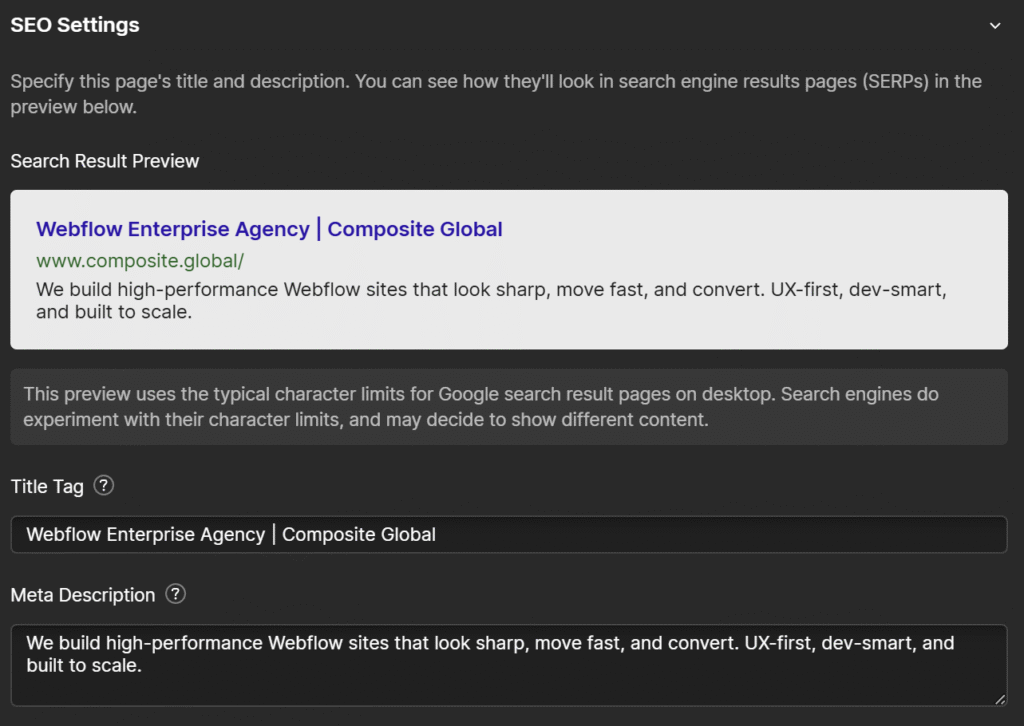
- Descriptive title tag and meta description
- Optimized image alt text
- Consistent use of headings (H2s, H3s, etc.)
- Accessible content hierarchy
If your team is using components or templates, it’s easy to copy-paste the wrong tags or forget to fill in fields—especially in Collection Pages. A manual check goes a long way here.
Step 4: Audit Performance and Core Web Vitals
Webflow sites are known for performance—but they’re not invincible.
Use Google PageSpeed Insights or Lighthouse to evaluate:
- LCP (Largest Contentful Paint)
- CLS (Cumulative Layout Shift)
- TBT (Total Blocking Time)
Optimize by:
- Compressing and resizing images
- Lazy-loading assets
- Minimizing custom JavaScript
- Avoiding oversized DOM structures
When we partnered with AutoTrader to launch their Storefront microsite, performance was a top priority. From API integrations to front-end efficiency, we helped their team launch a fast, responsive experience—built to scale without bloat. Even high-performing brands can carry technical debt—so don’t skip this step.

Step 5: Implement Schema Markup and Metadata
Structured data helps search engines understand your content. In Webflow, this isn’t plug-and-play—you’ll need to add custom code blocks or embed JSON-LD manually.
At minimum, implement schema for:
- Organization or local business
- Blog articles
- FAQs (if applicable)
- Products or services (if relevant)
The payoff? Rich results, better indexing, and increased visibility in search.
Step 6: Check Your Sitemap and Robots.txt
Webflow auto-generates your sitemap, but you should still:
- Manually review it
- Submit it to Google Search Console
- Ensure no key pages are accidentally excluded
- Confirm your robots.txt file isn’t blocking important assets
Technical SEO is about visibility. If search engines can’t crawl and index your content properly, everything else is wasted effort.
Final Thoughts: SEO in Webflow Isn’t Automatic—But It Is Powerful
Webflow is an incredibly capable platform, but great SEO doesn’t happen by default.
With the right audit process, small improvements in structure, performance, and metadata can lead to major gains in visibility. Whether you’re running a marketing site, product hub, or blog, investing in technical SEO helps your content go further.
Want a deeper dive into using SEO in Webflow?
Read our Complete Guide to Technical SEO in Webflow.