
Why Still Images Now Behave More Like Scenes

When people first hear about Image to Video AI, they often imagine a novelty effect: a still image moves a little, a face blinks, a background drifts, and the result feels like a short gimmick. That assumption made sense when early image animation tools produced motion that looked decorative rather than intentional. But the more I look at how current systems are used, the more it seems that the real shift is not about making a picture “move.” It is about turning a single visual frame into the beginning of a scene. That changes how creators think. A still image is no longer only an endpoint for design. It can also become a starting point for narrative motion.
This matters because a lot of visual work begins with something static. A product shot, a concept sketch, a portrait, an old photograph, a book cover, a campaign image, or a storyboard frame already contains mood, composition, and direction. What many people actually need is not a full production pipeline from scratch. They need a way to preserve that original visual logic while adding just enough movement to create momentum. In my observation, that is where platforms like this become interesting. They are not replacing all video workflows. They are reducing the distance between a finished image and a usable piece of motion content.
Why Static Visuals No Longer End The Process
For years, the line between image work and video work was sharp. Designers delivered stills. Editors made motion. Campaign teams often needed separate tools, separate timelines, and separate specialists for each stage. That division still exists, but it is starting to soften. When a platform lets someone upload an image, describe the motion they want in plain language, and generate a short clip from that input, the workflow becomes less fragmented.
The value here is not only convenience. It is continuity. A team may already have strong visuals that communicate the right brand tone. Rebuilding those ideas inside a traditional video editor takes time, and it can introduce drift. A system that starts from the original image keeps the visual identity closer to the source. In practical use, that means less translation between concept and output.
Why Continuity Matters More Than Novelty
A lot of marketing language around AI video focuses on spectacle. The flashiest output gets the most attention. But most real users are not trying to make a proof-of-concept for the future of cinema. They are trying to extend assets they already own. A fashion brand may want a product photo to feel more alive. A musician may want cover art to become a looping visual. A teacher may want a historical image to feel more immediate for students. A creator may want social content from artwork that already exists.
In those cases, consistency matters more than surprise. The best result is not the wildest animation. It is the one that feels like the image always contained that motion potential.
How A Scene Emerges From A Single Frame
A single frame already carries clues about possible movement. A portrait suggests eye direction, head turn, or environmental drift. A landscape suggests camera push, cloud movement, water flow, or changing depth. A product image suggests rotation, light shift, or background motion. When a platform interprets a text instruction and combines it with image structure, it is effectively making a lightweight prediction about what the next few seconds could look like.
That is why the experience feels different from adding a simple filter. It is closer to scene inference than decoration.
How The Official Workflow Keeps The Process Simple
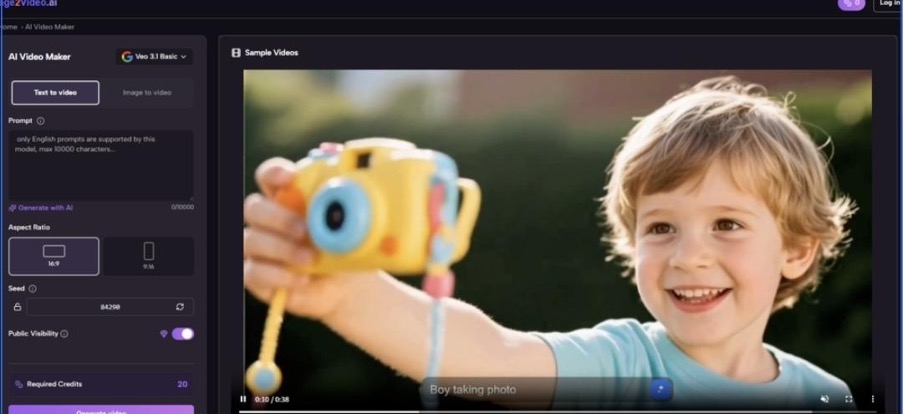
One reason the platform is accessible is that the official process stays short. Based on the site flow, the structure is straightforward and does not try to overwhelm the user with a complex editing timeline.
Step One Starts With An Existing Image
The first step is uploading an image, usually in common formats such as JPG or PNG. This matters because it lowers the threshold for entry. The user does not need to prepare layered files, motion paths, or a sequence of frames. The source can be a normal photo or static visual asset.
Step Two Uses Natural Language For Motion Direction
After upload, the user describes what should happen. Instead of controlling animation through a dense professional interface, the platform asks for language. That is an important shift. It means creative direction begins with descriptive intent: camera movement, atmosphere, gesture, visual energy, or scene behavior.
Why Natural Language Changes The User Role
When motion is guided through words, the user behaves less like a technician and more like a director. That does not mean skill becomes irrelevant. Prompt quality still matters. But it changes the kind of skill that matters. The question becomes: can you describe what kind of movement would make the image feel more alive without betraying its original mood?
Step Three Lets The System Generate The Clip
The platform then processes the request and turns the uploaded visual into a short video clip. In my reading of the official site, that short-form nature is important. This is not positioned as a full long-form editor. It is a compact generation tool designed for concise motion results.
Step Four Ends With Downloadable Output
Once generation is complete, the user downloads the result. That simple end point is part of the product logic. The platform is not trying to become the only tool in a creator’s stack. It produces a motion asset that can then be used in publishing, editing, promotion, or presentation workflows.
What Makes This Different From Traditional Motion Editing
A useful way to understand the platform is to compare the kind of work it reduces. It does not eliminate editing altogether, but it removes some of the setup burden that traditionally separates still design from motion output.
| Aspect | Traditional Workflow | Image-Based AI Workflow |
| Starting asset | Separate video planning often needed | Existing image can become the base |
| Motion control | Manual keyframes and editing tools | Natural language prompt guidance |
| Time to first result | Often longer | Usually shorter for first draft |
| Skill emphasis | Software operations and editing technique | Visual judgment and descriptive intent |
| Best use case | Detailed control and long-form refinement | Fast concept motion and short-form clips |
The table does not imply one method replaces the other. In my view, they serve different creative moments. Traditional editing still offers deeper precision. But image-to-video generation offers a strong way to test motion possibilities earlier and faster.
Where The Platform Fits Inside A Modern Creative Stack
The most realistic way to evaluate tools like this is not to ask whether they replace editors, directors, or motion artists. The better question is where they fit. From that angle, the platform seems most useful as a bridge layer.
It Helps Between Concept And Final Production
Sometimes a team has a visual concept but no budget or time for a full motion piece yet. A short AI-generated clip can help validate direction. It can also become a communication tool inside the team. Instead of describing a mood in abstract terms, people can react to an actual moving version of the idea.
It Extends Existing Asset Libraries
Most brands and creators already have archives of images. Those files often sit unused after one campaign or one post. A platform that can reinterpret those assets as motion gives them a second life. That is efficient in a practical sense, but it is also strategically useful because it increases the value of work that has already been done.
It Gives Non-Specialists A Way Into Motion
Not every marketer, founder, teacher, writer, or artist can open professional animation software and build motion from nothing. That gap has traditionally limited how many ideas could become video at all. A system built around upload plus prompt lowers that barrier. It does not erase the need for taste, but it does reduce the software hurdle.
Why Output Quality Feels Tied To Input Judgment
One reason AI motion tools can be misunderstood is that people expect the software to do all the creative work. In practice, results still depend heavily on what the user brings into the system.
The Image Determines More Than People Expect
Composition, subject clarity, depth cues, lighting, and emotional direction in the original image all influence the final clip. A cluttered image can produce confused motion. A clear image with strong focus usually gives the system a better chance to generate something coherent.
The Prompt Works Best As Direction, Not Decoration
In my testing of similar workflows, prompts tend to work better when they express a small number of intentional movements rather than stacking too many cinematic adjectives. Good direction tells the system what should happen, not every possible thing that could happen.
Less Can Produce More Believable Motion
A simple request such as a slow camera push, gentle subject movement, or soft environmental drift often feels more convincing than a request that tries to force a dramatic action sequence out of a calm source image. Believability comes from respecting the image’s original logic.
How Photo To Video Changes Practical Content Making
The second anchor phrase, Photo to Video, sounds simple, but the phrase itself points to a deeper shift in production culture. It suggests that the boundary between still media and moving media is becoming more porous. That is important because audiences increasingly encounter both in the same environments: short-form feeds, product pages, digital presentations, and online ads.
A creator no longer has to decide so early whether an idea belongs to image design or video production. The same source asset can serve both purposes. In practical terms, that means more flexibility in publishing. A product page can use still imagery for detail and a short motion clip for energy. A social post can begin as artwork and evolve into motion content without starting over.
This is not only about saving time. It is about expanding the possible life of a creative idea.
Where It Feels Most Useful In Real Scenarios
The strongest value of this kind of tool appears in situations where the goal is not perfect cinematic control, but effective motion communication.
Brand And Product Presentation
A product image can become more dynamic with subtle camera movement or atmosphere. For e-commerce and campaign work, that can make a familiar visual feel more current without rebuilding the asset from zero.
Creative Portfolio And Concept Work
Illustrators, photographers, and designers can use short animated clips to present work with more depth. A still image that already has strong composition can gain extra presence once motion is introduced carefully.
Educational And Historical Material
Old photos, diagrams, or environment images can feel more immediate when transformed into short scenes. Used thoughtfully, motion can help attention without requiring a fully produced video lesson.
Social Media Publishing
Short-form channels reward motion. Not every post needs a full production schedule. A concise generated clip can help a piece of existing visual work travel better across fast-moving platforms.
What The Limitations Still Reveal
A balanced understanding requires admitting where the tool does not solve everything. AI generation can shorten the path from image to motion, but it does not remove uncertainty.
Prompt Dependence Is Still Real
The same source image can produce different results depending on how motion is described. That means the tool is accessible, but not fully automatic in a meaningful creative sense. Users still need judgment.
Multiple Attempts May Be Necessary
In my experience with this category, the first result is not always the best one. Sometimes the motion is too literal. Sometimes it feels disconnected from the mood of the image. Iteration is part of the process.
Short Output Changes Creative Expectations
Because the platform is built around concise video generation, it works best when the user wants a moment rather than a full narrative arc. That limitation is not necessarily a weakness, but it does define the product’s role.
A Moment Can Still Be Enough
A short clip is often all that is needed for a header visual, teaser, preview, or social asset. The limitation becomes a strength when the creative need is focused.
Why The Broader Shift Matters Beyond One Tool
What interests me most is not only the platform itself, but what it signals. We are moving into a phase where creative production is less divided by medium. A strong image can become motion. A text description can guide camera behavior. A lightweight web workflow can produce output that once required much more technical setup.
That does not mean every result is perfect, and it does not mean human craft stops mattering. In fact, it may make judgment more valuable. When the software becomes easier to use, the real difference often comes from knowing what kind of motion an image actually needs.
How This Changes The Way Creators Think Next
The most useful way to approach tools like this is with restraint. They are not magic replacements for filmmaking, and they are not just gimmick engines either. They are best understood as translation tools between stillness and motion. They help a creator ask a new question: what is the smallest amount of movement needed to make this image feel like a scene?
That question is practical, creative, and increasingly relevant. A single image no longer has to remain fixed in place. Under the right conditions, it can carry time as well as composition. And that small shift may end up changing more workflows than the loudest marketing claims suggest.